1
Upload or describe
Add a real product photo or describe the item you want to prepare.
AI product photo generator
Upload a product photo or describe your item. SalesBooster helps you create clean, realistic product images for marketplaces, online stores, ads, and social media.
Use demo visuals to choose the direction before opening the full SalesBooster workflow.
Demo context
The landing collects style, channel, and product intent. The app handles auth, project creation, product upload, credits, results, improve, and download.
Create my visualStart on the landing page, then continue in the SalesBooster workspace where product generation is already connected to projects and credits.
Add a real product photo or describe the item you want to prepare.
Pick marketplace, studio, lifestyle, ad, infographic, or premium ecommerce direction.
Create a project, upload product images, and launch AI generation in the app.
Review the result, improve versions, and download visuals for your sales channels.
Each preset maps to the existing SalesBooster project workflow instead of creating a separate backend generation system.
Clear commercial shots for Amazon, Etsy, Shopify, WooCommerce, and online store listings.
Neutral backgrounds, clean light, and product-first composition.
Show your item in a believable environment customers can understand.
Turn a product image into campaign-ready visual directions.
Explain features, benefits, and usage in a visual format.
Create a more polished look for catalogs, landing pages, and brand stores.
Use one workflow for marketplace listings, store pages, ads, catalogs, and social content.
Prepare consistent visuals for product grids and detail pages.
Adapt photos for listing rules and buyer expectations.
Create product visuals for fast social commerce posts.
Test visual angles for paid campaigns without a studio shoot.
Keep catalog images clean, repeatable, and easy to scan.
Build product visuals for offers and launch pages.
Create fresh product images for promotions and flows.
Prepare visuals for your ecommerce stack without changing tools.
For sellers
SalesBooster is not a generic AI art generator. It is a workspace for ecommerce visuals: product photos, infographics, ad creatives, marketplace pages, project history, improvements, and downloads.
Generation cost
4
A new product image generation costs 4 stars. Improving an existing version costs 2 stars.
Show the real product, then create a more useful commercial visual for the channel.


A clean product-first image for stores and catalogs.
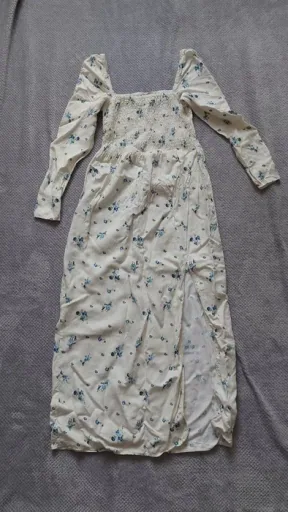

Sharper commercial composition for product listings.


A visual that explains benefits, details, or usage.
A practical AI photo workflow for sellers who need product visuals, not random pictures.
Move from a basic product image to a stronger ecommerce visual faster.
Marketplace, store, catalog, ad, and infographic needs are part of the same workflow.
Results, versions, improvements, and downloads stay inside your SalesBooster project.
Generation uses the current star model, and system failures refund spent credits automatically.
Continue through the SalesBooster SEO cluster for background removal and marketplace-ready product photos.
An AI product photo generator helps create professional product images from a product photo or product description. SalesBooster focuses on ecommerce visuals for marketplaces, online stores, ads, and social media.
Yes. You can use generated product photos for ecommerce stores, marketplaces, ads, catalogs, landing pages, and social media, subject to your platform's rules.
For the current SalesBooster workflow, uploading a product photo is the recommended path because it preserves the real product. Text-only intent can prepare the project, but full generation may require an uploaded product image.
A new product image generation costs 4 stars. Improving an existing version costs 2 stars.
If generation fails because of a system or AI processing error, SalesBooster refunds the spent credits automatically.
SalesBooster is built for ecommerce workflows: product photos, infographics, ad creatives, marketplace pages, project history, improvements, and downloads.
Start with a photo or description, then continue in SalesBooster with the existing project, credit, improve, and download workflow.
Start product photo generation